
If you need a offical instruction of how to in install the TI-Nspire™ CX CAS Student Software, then check out this link
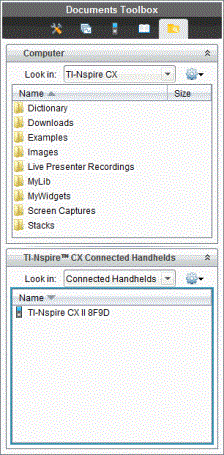
In the document workspace, teachers and students can use drag and drop to quickly transfer files and folders from a computer to a handheld device or from a handheld device to a computer.
If for some reason you can not use the offical website, them try this website.
This website is a substitute for the offical application that have most of the functions.
Here is a website that shared all those famous app you can install on your TI‐Nspire™
Click here to know more about the gaming function of your TI‐Nspire™